My UniFi Home Network Setup: VLANs, WiFi, and Proxmox Homelab Isolation
Built a segmented UniFi home network with VLANs, firewall rules, and a Proxmox homelab to improve security, performance, and DevOps skills.
Project Details
My UniFi Home Network Setup: VLANs, WiFi, and Proxmox Homelab Isolation
When I first started building out my homelab, I quickly realized the default “ISP router + vibes” approach wasn’t going to cut it.
I wanted a home network that was fast, scalable, and secure — something that could handle everyday life (streaming, phones, work calls), while also supporting a growing homelab (Proxmox, Kubernetes nodes, and whatever I break next week). Most importantly: I wanted it set up the way real environments are built and managed.
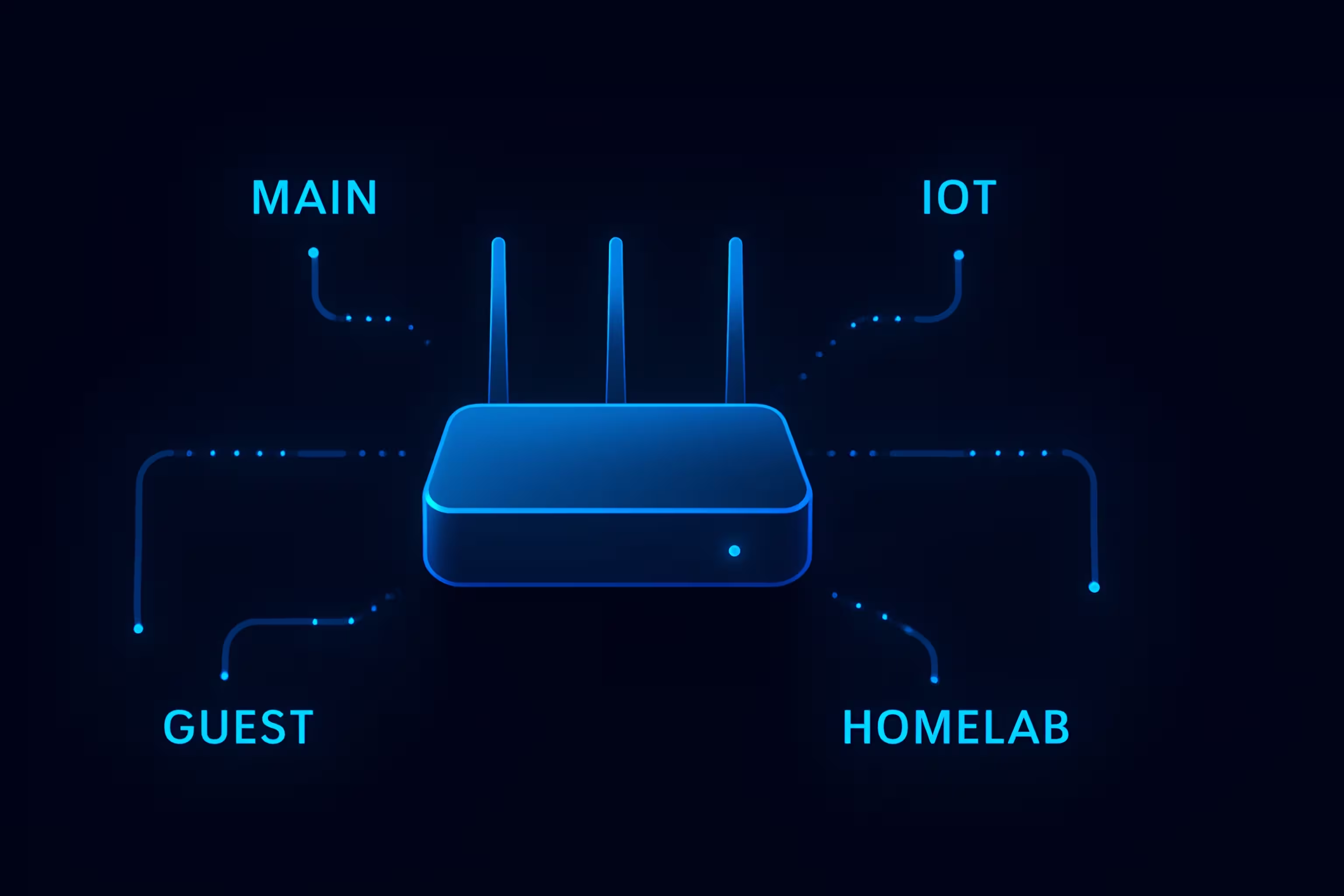
So I upgraded to UniFi and built a segmented network with VLANs, dedicated WiFi SSIDs, and firewall rules — plus isolated my Proxmox infrastructure so my lab projects don’t accidentally become family-wide projects.
Quick Summary
Goal: Replace basic ISP gear with a configurable and scalable UniFi network built like a real production environment.
Approach: Create VLANs + separate WiFi networks for trusted devices, IoT devices, guests, and homelab infrastructure.
Outcome: Better security, easier management, and a solid foundation for homelab growth — plus some real troubleshooting reps that translate directly into Cloud/DevOps work.
Why I Ditched the ISP Router
ISP equipment works… until you want to do anything interesting.
I needed:
- Visibility into my network and connected devices
- Segmentation (IoT shouldn’t be able to talk to everything)
- Control over traffic flow with firewall rules
- A stable foundation for a growing homelab (Proxmox now, Kubernetes soon)
Also, and this is important:
I’m not looking to get hacked because my wife’s smart Pura diffuser decided it needed full access to my entire LAN.
Hardware and Stack
Here’s what I’m running:
- UniFi Cloud Gateway Fiber
- 2× UniFi U7 Pro Access Points (Upstairs + Downstairs)
- UniFi USW-Lite-8-PoE Switch
- Proxmox host (Ryzen 9 / RTX 5070 build)
- 3× ThinkCentre M920q nodes (for the next phase: Kubernetes)
- (Soon) an additional switch dedicated to the homelab side for cleaner cabling + expansion
Network Design (VLANs + Subnets)
The entire goal was to separate traffic based on trust and purpose:
- Trusted devices (phones/laptops/workstation)
- IoT devices (smart home gear)
- Guests (internet only)
- Homelab (servers/infrastructure)
VLAN + Subnet Plan
| VLAN | Name | Subnet | Purpose |
|---|---|---|---|
| 10 | Main-LAN | 192.168.10.0/24 | Trusted personal devices |
| 20 | IoT | 192.168.20.0/24 | Smart home devices |
| 30 | Guest | 192.168.30.0/24 | Internet-only access |
| 40 | Homelab | 192.168.40.0/24 | Proxmox + servers + infra |
WiFi Networks (SSIDs)
Yes… I named them like a responsible adult.
Examples include:
- Nacho WiFi → Main-LAN (VLAN 10)
- Hack My Device → Guest (VLAN 30)
It’s nerdy, but in my defense… at least I know exactly what network I’m joining and it brings smiles to neighbors and guests.
Architecture Diagram
Here’s a high-level view of the setup:
Security Model (Firewall Rules)
The security posture is simple:
- Guests get internet only
- IoT is isolated
- Homelab is restricted
- Main-LAN can manage homelab… but only where explicitly allowed
Some example policies:
- Guest VLAN → Block RFC1918 (no internal access)
- IoT VLAN → Block Main-LAN and Homelab
- Main-LAN → Allow access to Proxmox management UI (8006)
- Main-LAN → Allow SSH to homelab nodes (22) (optional but useful)
The theme here is least privilege.
I want my network to be usable and safe, not a flat playground where anything can talk to everything.
The “Fun” Part: Troubleshooting Proxmox Access
This project came with one main challenge:
Once VLAN segmentation and switch port profiles were introduced, Proxmox management became unreachable.
This turned into a loop of:
- “It worked five minutes ago.”
- “Why doesn’t it work now?”
- “But I didn’t even change anything!” (I changed something.)
The root cause was a mismatch between:
- switch port VLAN profiles / trunk behavior
- Proxmox bridge configuration (VLAN aware bridge)
- management IP living on the correct VLAN
- plus the “apply changes” moment that sometimes doesn’t go as smoothly as you’d hope
There were a few times I had to temporarily reopen access, regain control, adjust the configuration, and retry — but eventually the design clicked:
- Proxmox management belongs in VLAN 40 (Homelab)
- Daily workstation access belongs in VLAN 10 (Main-LAN)
- Firewall rules allow only the management traffic I actually need
Once everything was aligned, Proxmox access came back and the segmentation finally behaved exactly as intended.
But first...
One more gotcha: stateful firewall rules and return traffic
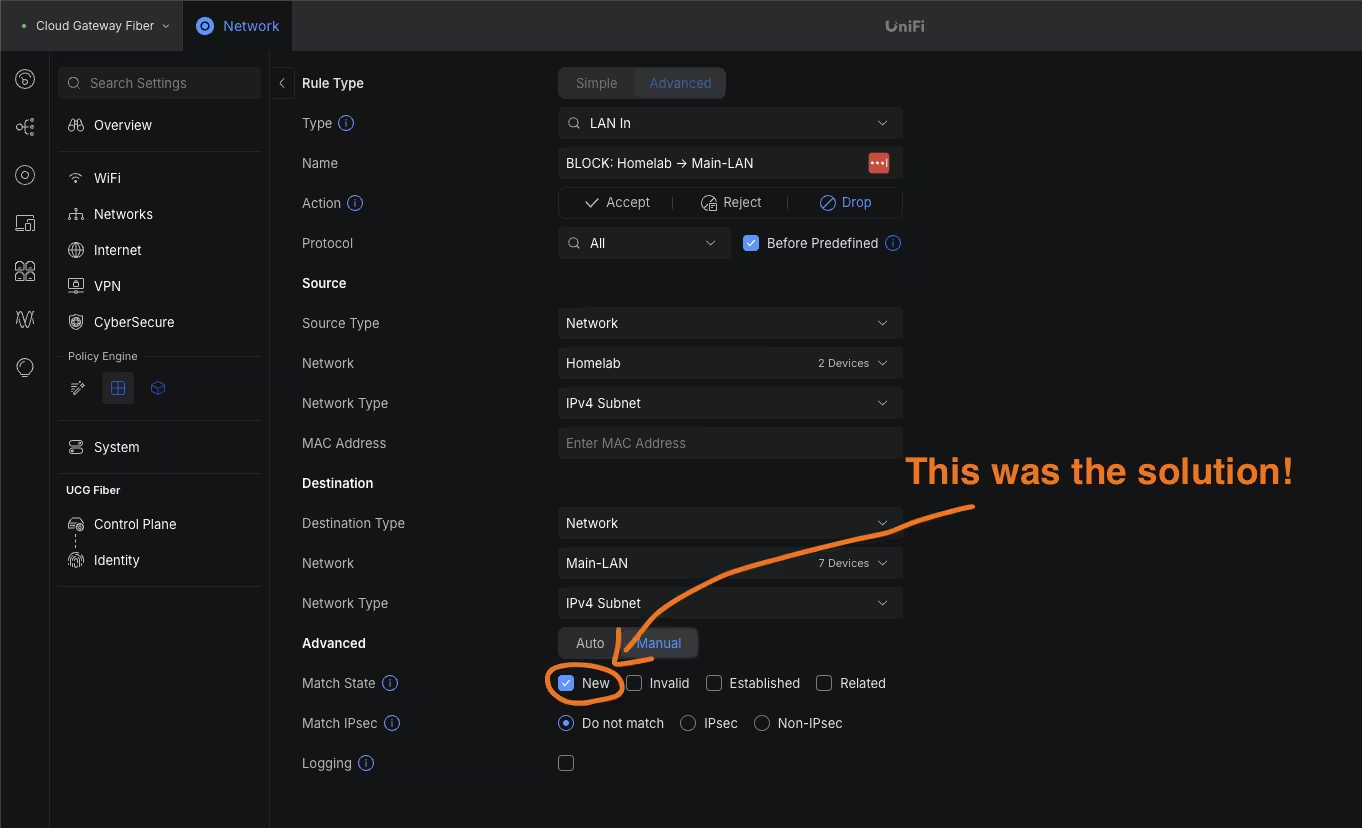
One tricky bug I hit was isolating my Homelab VLAN (Proxmox) so well (...yeah we'll go with that) that I accidentally blocked my own management access. Even though I had rules allowing my Main-LAN devices to reach the Proxmox GUI (port 8006), my BLOCK: Homelab → Main-LAN rule also blocked the return traffic — which caused timeouts and made it look like Proxmox was down.
The fix was making the firewall rules state-aware, so only new connections from Homelab to Main-LAN are blocked while established/related return traffic is allowed. Once I adjusted that, Proxmox access worked reliably from both my workstation VM and laptop while keeping strong isolation in place.
Turns out you can secure something so well that even you can’t get in!
Results (and What Improved Immediately)
After implementing VLANs, dedicated SSIDs, and tighter firewall rules:
- Cleaner, more scalable network layout
- Stronger security posture (especially isolating IoT + Guest traffic)
- Homelab is separated from trusted devices
- UniFi makes management and visibility dramatically easier
- Ready for expansion (Kubernetes nodes, additional switches, internal services)
And yes…
This did involve kicking devices off networks while reassigning VLANs, which meant I got to experience the joy of asking my wife to reconnect smart devices afterward.
Let’s just say she was not impressed!
Skills Learned
This wasn’t just a “cool home upgrade” — it was real infrastructure work:
- VLAN and subnet design
- SSID-to-VLAN mapping
- Switch port profiles + trunking concepts
- Firewall rules (least privilege)
- Proxmox networking (Linux bridge + VLAN awareness)
- Troubleshooting (test, isolate, verify, repeat)
- Planning for scalable homelab growth
This is the same kind of thinking used in real environments — just on a smaller scale.
What’s Next
This setup gives me a foundation to build on. Next up:
- Cable + deploy the M920q cluster
- Expand homelab switching + internal segmentation
- Add monitoring later (Grafana/Prometheus)
- Continue evolving the homelab toward production-style patterns
I learned a lot of relevant lessons throughout this project and here are a few more to end on:
-
YouTube tutorials were marginally valuable but walking through the steps with a solid LLM like ChatGPT or Claude was the most beneficial in my opinion since I could ask 2nd and 3rd level questions for a deeper understanding along the way.
-
The
allowrules aren’t enough unless you also account for return traffic. Stateful firewalls need either an Established/Related allow rule, or block rules scoped to New connections only. -
Lastly, if you’re naming SSIDs… don’t take yourself too seriously. 😉
Thanks for stopping by!