Kubernetes Homelab Setup (Part 2): Persistent Storage & First Real Apps (n8n + Uptime Kuma)
Part 2 of Kubernetes homelab build showcasing persistent storage and self-hosted apps n8n and Uptime Kuma.

Project Details
Kubernetes Homelab Setup (Part 2): Persistent Storage & First Real Apps (n8n + Uptime Kuma)
Part 1 was all about getting my k3s homelab cluster online: three Lenovo M920q nodes, core monitoring, ArgoCD, and a secure way to access things.
Now in Part 2, I wanted to turn “a cluster that exists” into “a cluster that’s actually useful.”
The big unlock: persistent storage. Up until now, my app manifests used emptyDir: {} on purpose. It was great for standing things up quickly, terrible for anything real. The moment you want a database, workflows, or anything to survive restarts… you need durable storage.
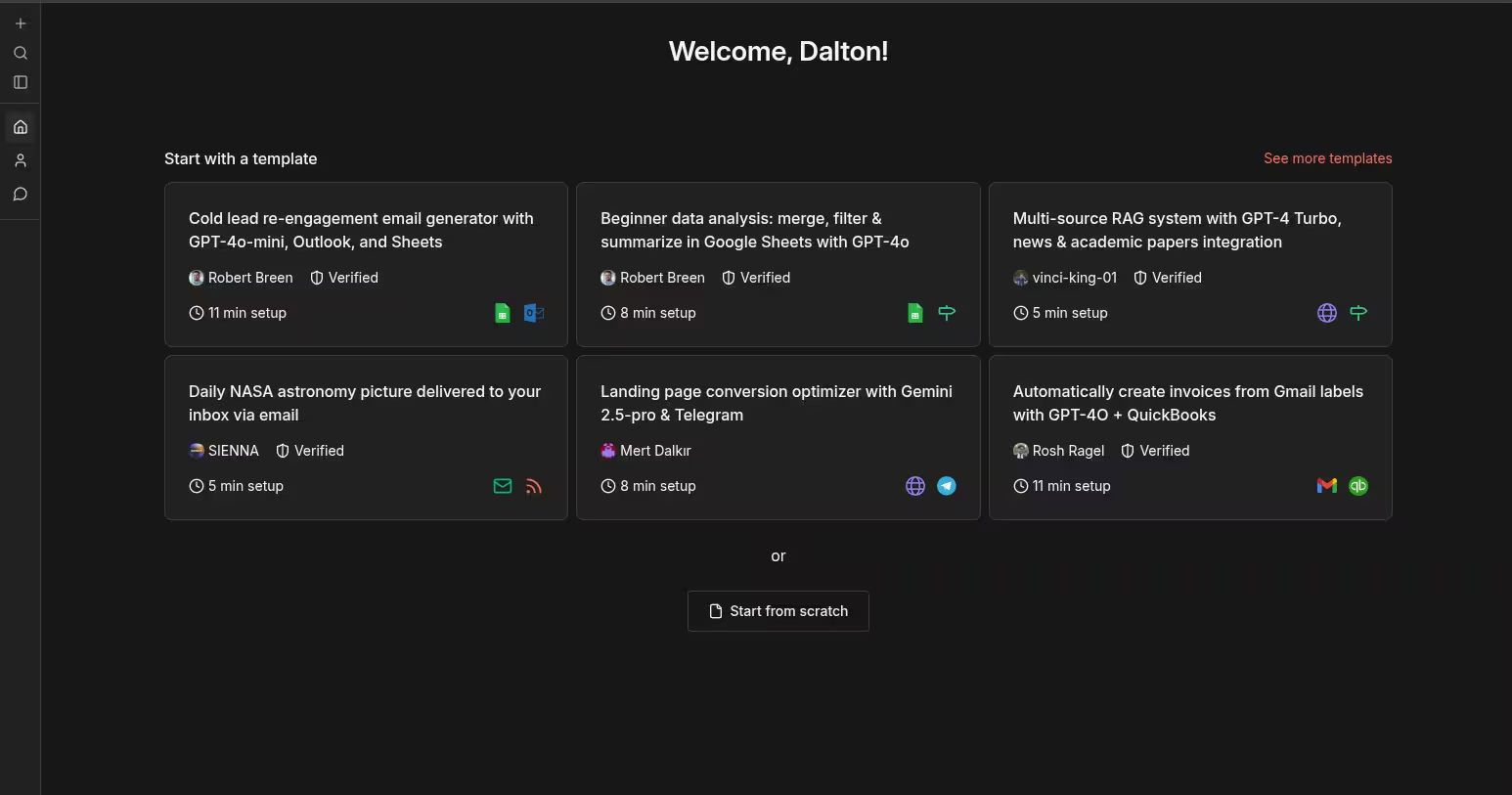
This post covers how I moved from ephemeral volumes to real Persistent Volume Claims (PVCs), and deployed my first two self-hosted apps: n8n (with Postgres database) and Uptime Kuma ****behind Traefik + Cloudflare Tunnel + Zero Trust Access.
Definition of Done (what I wanted to achieve)
By the end of Part 2, I wanted to be able to say:
- I have SSD-backed storage (ZFS) on my Proxmox tower
- My k3s cluster can dynamically provision volumes via NFS CSI
- I have two StorageClasses:
nfs-zfs(Retain, default) for real datanfs-zfs-delete(Delete) for disposable/test workloads
- I can deploy real apps with:
- Deployments (pods)
- Services (stable networking)
- Ingress (hostname routing)
- PVCs (durable data)
- Secrets (kept out of Git)
- I can access apps safely from anywhere using Cloudflare Zero Trust
Why emptyDir had to die
emptyDir is fine for “hello world.” It is not fine for:
- workflow automation tools like n8n (credentials, workflows, execution history)
- uptime/monitoring tools like Uptime Kuma
- databases like PostgreSQL (…obviously)
Kubernetes pods are ephemeral by design. If the pod gets rescheduled to another node or recreated, anything inside the container filesystem is gone unless it’s mounted from persistent storage.
So the question became:
How do I give my cluster durable storage without building a full NAS + distributed storage system yet?
Storage approach (and why I chose it)
I’ve seen things like “just run Ceph.” And to be fair, Ceph sounds awesome. But it also comes with operational complexity and resource overhead. For my current learning phase, I wanted a solution that is:
- practical
- stable
- easy to reason about
- not overly resource-hungry
So I chose:
ZFS on the Proxmox tower → exported over NFS → consumed by the k3s cluster via NFS CSI.
This gives me a really solid bridge to running real workloads today, while still leaving room for a bigger NAS / more advanced storage later.
Big picture architecture (two reverse proxies)
One thing that clicked for me during this build: I’m effectively using two reverse proxies, each solving a different part of the problem.
1) Cloudflare Zero Trust (external gatekeeper)
Cloudflare is my external “front door”:
- authentication (Zero Trust Access)
- encrypted tunnel into my home network
- consistent hostname pattern (
app.daltonbuilds.com)
2) Traefik (internal router)
Traefik lives inside the cluster as the Ingress Controller:
- it listens on a stable IP on my LAN
- it routes traffic to the right app based on Host headers
So the flow looks like:
Cloudflare validates me → sends traffic through tunnel → Traefik routes by hostname → Service targets a Pod

How the cluster is reachable: MetalLB + Traefik
My k3s cluster needs an IP address that my LAN can reach.
In homelab terms, this is what MetalLB provides.
- MetalLB claims a real IP on my home network for services of type
LoadBalancer - Traefik binds to that IP and handles routing
In my case, Traefik ended up with:
192.168.40.240(LoadBalancer IP)
This is a key point that I learned: many apps can hare the same external IP, and that’s by design.
Routing happens by hostname (so cool).
The storage chain (StorageClass → PVC → PV → mount)
This was an important mental model for me to grasp:
- StorageClass = the “menu”
- what provisioner to use
- what reclaim policy to use (Retain/Delete)
apiVersion: storage.k8s.io/v1
kind: StorageClass
metadata:
  name: nfs-zfs
provisioner: nfs.csi.k8s.io
parameters:
  server: 192.168.40.50
  share: /rpool/k8s
reclaimPolicy: Retain
volumeBindingMode: Immediate
mountOptions:
- nfsvers=4.1- PersistentVolumeClaim (PVC) = the “voucher”
- the app requests X GiB
- PersistentVolume (PV) = the “actual folder” that gets provisioned on the storage backend
- VolumeMount = the “plug”
- mounts that storage to a specific path inside the container
So for n8n, it’s basically:
- PVC created → directory appears under
/rpool/k8s/...

- n8n mounts it at
/home/node/.n8n - workflows + settings survive pod recreation
NFS CSI (dynamic provisioning instead of manual folders)
One cool thing I learned here is that I’m not manually creating NFS directories for each app.
Instead:
- Install the NFS CSI driver once
- Create a StorageClass pointing at the export
- Apps request PVCs
- Kubernetes provisions PVs automatically
Not sure it’s necessary right now but I created two StorageClasses:
nfs-zfs (Retain, default)
For things I never want accidentally deleted:
- databases
- automation workflows
- app configurations
- anything ‘stateful’
nfs-zfs-delete (Delete)
For quick test workloads:
-
“does this chart work?”
-
“can I mount a volume?”
-
“let’s run a quick experiment”
…and when I delete the PVC, the backing directory is cleaned up.
Who knows, maybe this could help keep storage clean.
Deploying real apps: n8n + Postgres, and Uptime Kuma
Once storage was solved, deploying apps was up next (finally!).
How to decide which Kubernetes resources an app needs?
This was one of the main learning objectives for me going into this part.
I know now, to look for four things in the app’s docs (usually in README, docker run, or docker-compose.yml):
- Image (is it containerized and what tag should I pin?)
- Ports (what does it listen on?)
- Volumes (what paths need persistence?)
- Environment variables (configuration + secrets)
From there, the Kubernetes resources start to make more sense:
- Deployment (run the container)
- PVC(s) (if there are persistent volumes)
- Service (stable internal networking)
- Ingress (hostname routing)
- Secret (for sensitive env vars)
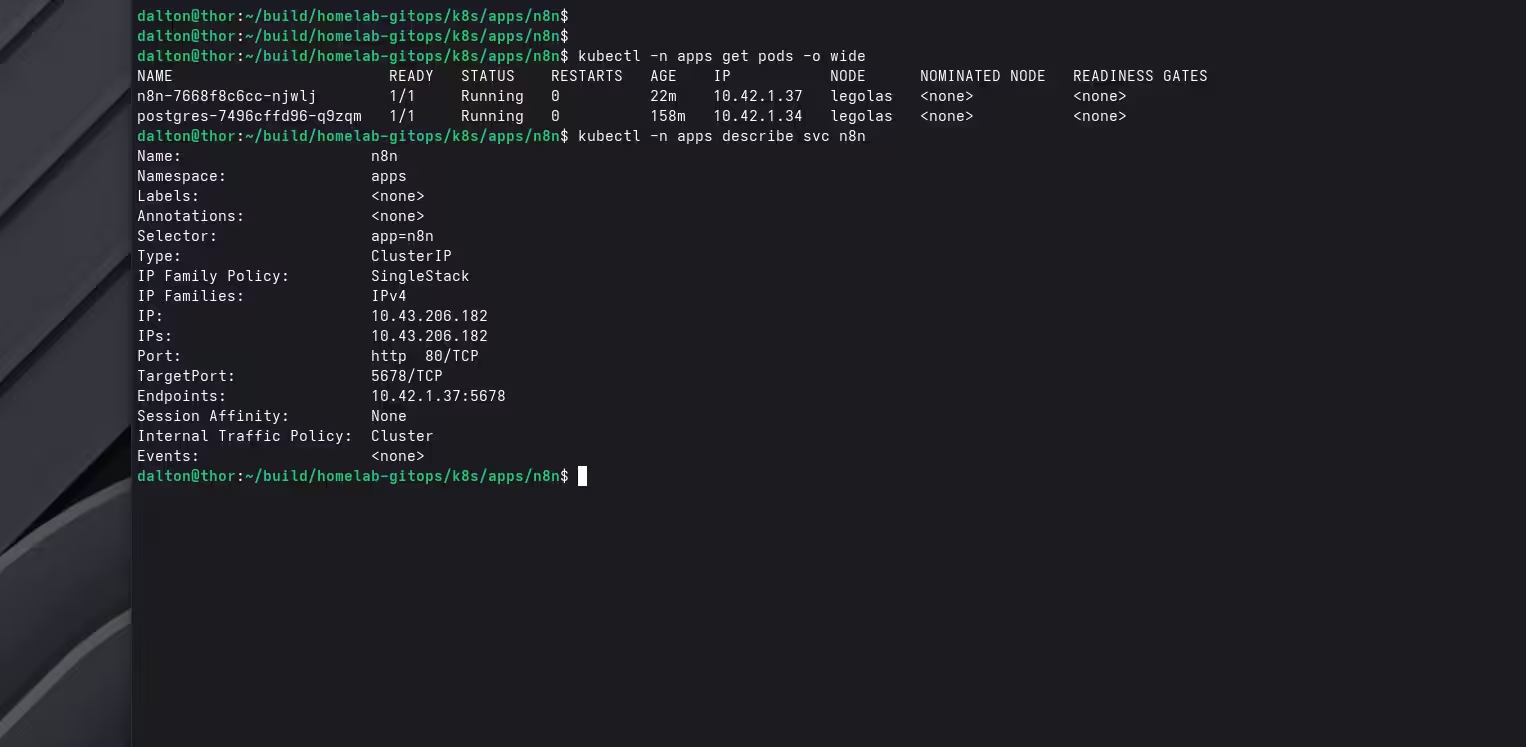
A real troubleshooting moment: “everything is running, but it’s still down”
There are always ‘fun learning moments’ for me every step of the way in my cloud / DevOps journey.
At one point, Cloudflare and Traefik were returning errors even though the cluster looked “healthy.”
- Nodes were up and
Ready:
dalton@thor:~/build/homelab-gitops/k8s$ kubectl get nodes
NAME      STATUS   ROLES           AGE   VERSION
aragorn   Ready    <none>          8d    v1.34.3+k3s1
gandalf   Ready    control-plane   8d    v1.34.3+k3s1
legolas Ready <none> 8d v1.34.3+k3s1- Pods in
-n appswere allRunningjust fine:
dalton@thor:~/build/homelab-gitops/k8s$ kubectl -n apps get pods
NAME                           READY   STATUS    RESTARTS   AGE
n8n-5c9cc7d6b5-8cv8b           1/1     Running   0          24h
postgres-7496cffd96-q9zqm      1/1     Running   0          30h
uptime-kuma-7f79bbbcb8-cxxpz   1/1     Running   0          25h
The key lesson:
Don’t blame Cloudflare until you can prove the app works inside the cluster.
ChatGPT helped me with the winning debugging flow:
- Ingress → Service → Endpoints → Pod
- Curl Traefik directly with a Host header:
curl -H "Host: n8n.daltonbuilds.com" http://192.168.40.240/
- If that fails, check the Service endpoints and container port.
In my case, the issue was simple:
- my Service routed to port 443 (whoops)
- but n8n was actually listening on 5678
- result: 502 Bad Gateway
Fixing the internal port alignment brought everything back.
This taught me a core Kubernetes truth:
“Running” doesn’t always mean “reachable.”
Security: Secrets and Zero Trust
Two key security practices for this project:
1) Secrets never go in Git
I keep a 05-secrets.example.yaml committed with placeholders, but the real secrets file is ignored (.gitignore) and applied manually for now.
2) Zero Trust Access for remote use
I wanted to be able to use n8n as well as all of my other self-hosted apps from anywhere, not just at home. Cloudflare Access gives me:
- identity-based login
- no open ports on my router
- no “public admin panel” risk
(Also: I hit a brief Chrome “Dangerous site” warning when exposing a brand-new n8n hostname. With Access in front, that stopped being a real concern, and I’ll monitor/review it if needed.)
Current state (what’s working today)
At the end of Part 2, I have:
- n8n running in k3s with persistent storage and Postgres
- Uptime Kuma running in k3s with persistent storage
- Both apps exposed via Traefik + Cloudflare Tunnel
- Access protected via Cloudflare Zero Trust
- Dynamic PVC provisioning via NFS CSI
- Two StorageClasses (Retain/Delete) for current and future lifecycle management
And most importantly: I now have a repeatable pattern to deploy almost any self-hosted app (and one of my very own — coming soon!).
What’s next (Part 3)
Now for the fun part: making these apps work together.
Part 3 will likely include:
- Monitoring n8n (and other apps) with Uptime Kuma
- Sending alerts from Kuma → n8n webhook
- n8n sending notifications (I’m doing this via Discord currently)
- Backups:
- Postgres backup job
- ZFS snapshots for
/rpool/k8s
That will turn this k3s cluster from “running apps” into “running a platform” which will be a huge milestone for me. I will also just enjoy deploying more useful self-hosted apps (I have a growing list)!
Final thoughts
I’m not trying to pretend I’m a DevOps expert (far from actually, at the time of writing this). I’m building out my home network and this Kubernetes homelab specifically because I want to become one (by learning the right way, making mistakes, building up the debugging muscles, and documenting the journey).
And honestly… this project was SO worth the work and quite an enjoyable experience. It also opens up a whole new world for me in self-hosting, custom development, and much more — all while forging the skills & experience necessary to become an expert.
Thanks for reading!
Repo
Follow along here: https://github.com/DaltonBuilds/homelab-gitops